
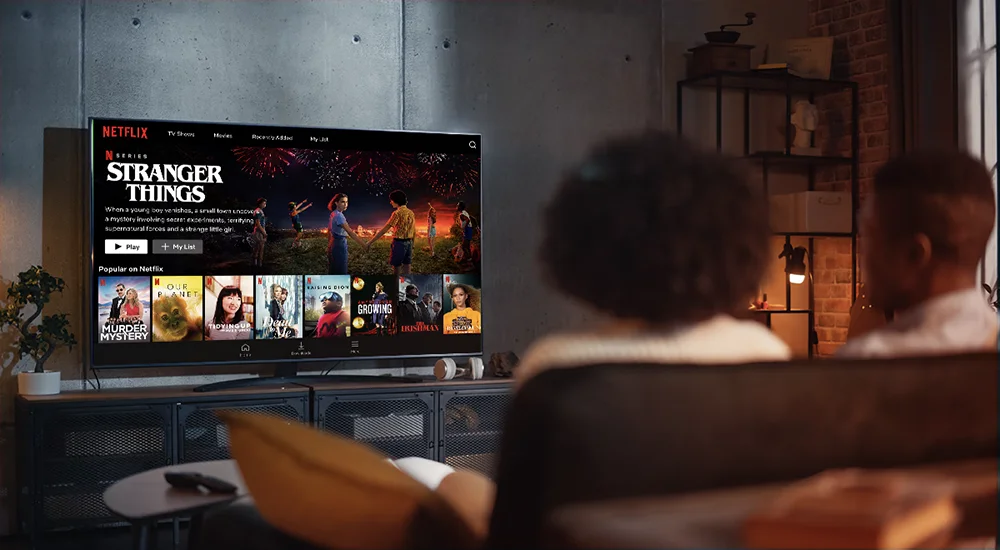
Welcome to the IPTV Help Center! This guide will show you how to setup IPTV on IPTV Smarters. IPTV Smarters is a popular app for watching live TV, movies, and series. We will walk you through every step. This guide is simple and easy to follow.
📺 What You Will Learn:
By the end of this guide, you will know how to install IPTV Smarters, add your service, set up the TV guide, use parental controls, and fix common problems.
Key Features of IPTV Smarters
IPTV Smarters is a powerful app. It has many features that make watching TV easy and fun.
-
Live TV:
Watch hundreds of live TV channels from around the world. -
VOD (Video on Demand):
A huge library of movies and TV series to watch anytime. -
EPG (Electronic Program Guide):
See what’s on now and next on all your channels. -
Multi-Screen Support:
Use it on your phone, tablet, Android TV box, or Firestick. -
Parental Controls:
Lock channels to keep kids safe. -
Favorites:
Save your favorite channels and videos for quick access. -
Catch-Up TV:
Watch shows you missed from the last few days.
Why Use IPTV Smarters App?
You might wonder why you should choose IPTV Smarters. Here are the main reasons:
✅ User-Friendly:
The app is very easy to use. The menu is simple and clear.
✅ Reliable:
It plays streams smoothly with less buffering.
✅ Free to Use:
The app itself is free. You only need a valid IPTV subscription.
✅ Regular Updates:
The developers fix bugs and add new features often.
How to Install IPTV Smarters
First, you need to install the app on your device. The steps are similar for most Android devices.
Installation on Android Phone/Tablet or Android TV Box
-
Open the
Google Play Store
on your device. -
In the search bar, type
“IPTV Smarters”
and press search. -
Find the app by
“WHMCS Smarters”
and tap on it. -
Tap the
“Install”
button. - Wait for the download and installation to finish.
- Open the app from your home screen or app drawer.
Installation on Amazon Fire TV Stick
The Firestick does not have the Google Play Store. You need to sideload the app.
-
From the Firestick home, go to
Settings
>
My Fire TV
>
Developer Options
. -
Turn
“Apps from Unknown Sources”
ON. -
Go back to the home screen and search for the
“Downloader”
app. Install it. -
Open Downloader. In the URL field, enter this exact address:
https://bit.ly/3smarters
- Download and install the IPTV Smarters APK file when prompted.
-
Once installed, you can open it from your
“Your Apps & Channels”
list.
Setting Up Your IPTV Service on IPTV Smarters
After installing the app, you need to add your IPTV subscription details.
- Open the IPTV Smarters app.
-
You will see a login screen. Click on
“Login with Xtream Codes API”
. This is the most common method. -
Now, you need to enter your details from your IPTV provider:
-
Portal URL:
Enter the server URL given by your provider. -
Username:
Enter your subscription username. -
Password:
Enter your subscription password.
-
-
Double-check that all information is correct. Then click
“Add User”
. - The app will connect to your service. If your details are correct, you will see your Live TV, VOD, and Series menus.
💡 Tip:
If your provider gave you an M3U URL, you can select
“Login with Playlist”
instead. Paste the M3U link there.
How to Setup the EPG (TV Guide)
The EPG shows you the TV schedule. Sometimes it loads automatically. If not, follow these steps:
-
Go to the
Live TV
section. -
Press the
Menu
button on your remote (or the 3-dot icon on mobile). -
Select
“Update EPG”
or
“Reload EPG”
. - The app will download the latest program information. Wait a moment.
- Go back to the channel list. You should now see program names and times.
If the EPG is still empty, your provider may not support it. Contact them for help.
How to Setup Parental Controls
Parental controls let you lock channels. This is useful for families.
-
Go to
Settings
inside the app (often a gear icon). -
Look for
“Parental Control”
or
“Lock Channels”
. -
Turn Parental Control
ON
. - You will be asked to set a 4-digit PIN. Remember this PIN.
- Now, go to any channel you want to lock. Long-press on it (or press the menu button).
-
Select
“Lock Channel”
from the list. The channel will now require the PIN to open.
Troubleshooting Common Problems
Sometimes things don’t work. Here are quick fixes for common issues.
1. “Invalid Credentials” or Login Error
This means your username, password, or URL is wrong.
- Check the details from your provider. Type them carefully.
- Make sure there are no extra spaces.
- Contact your IPTV service to confirm your account is active.
2. Channels Are Buffering
Buffering can be caused by your internet or the server.
- Check your internet speed. You need a stable connection.
- Restart your router and device.
- Try changing the video player in Settings. Use “HW Player” or “VLC”.
- Connect your device with an Ethernet cable for a stronger signal.
3. No Sound or Video
If the picture works but no sound, or vice versa:
- Try a different channel. The problem might be with that one stream.
- Go to Settings > Player and change the audio or video decoder.
- Ensure your device volume is up and not on mute.
4. App Crashes or Freezes
- Close the app completely and open it again.
- Clear the app cache: Go to your device Settings > Apps > IPTV Smarters > Storage > Clear Cache.
- Uninstall and reinstall the latest version of the app.
Conclusion
Setting up IPTV on IPTV Smarters is simple. Just install the app, enter your details, and start watching. Use the EPG to see what’s on. Use parental controls for safety. If you have problems, check the troubleshooting tips. Enjoy your new TV experience!
Ready for the best IPTV experience?
Unlock premium features and enhanced stability.