
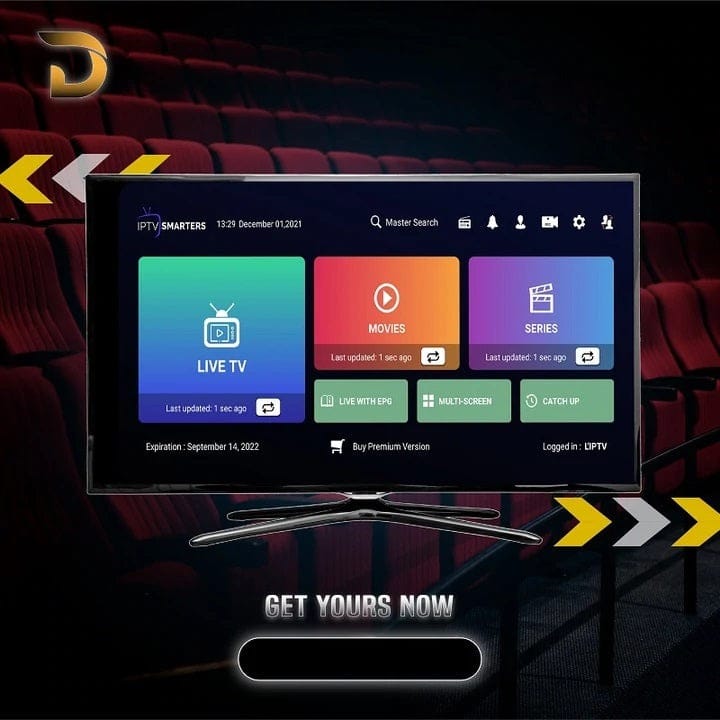
Welcome to your new way to watch TV. This is the
Amazon Fire TV Stick 4K
with a full
12-month subscription
already installed and ready to go. No more searching for apps or entering codes. We set it all up for you. Plug it in, connect to Wi-Fi, and start watching instantly.
Imagine having everything in one place. Watch live sports as it happens. See the latest movies. Binge your favorite TV series. Keep the kids happy with cartoons and family shows. Stay informed with news from around the world. All this comes with your subscription. It’s simple, it’s complete, and it’s ready for you.
You get the physical
Amazon Fire TV Stick 4K Max
device and a full
12-month IPTV subscription
pre-installed. We handle the technical part. You just enjoy.
Are you tired of expensive cable bills? You are not alone. Traditional TV packages cost too much and lock you into long contracts. This Amazon Fire TV Stick package is the smart alternative. You pay once for the device and the yearly service. That’s it. No surprise fees next month. No contract to cancel. You keep hundreds of dollars in your pocket every year. It’s a simple choice for your wallet.
This is not just a device. It’s your complete entertainment package. The subscription gives you access to thousands of channels and a huge library of on-demand content.
Missed a show? Want to watch a specific movie? The VOD library has tens of thousands of titles. New movies are added regularly. You also get full seasons of popular TV series to watch anytime.
This is the key benefit. We activate the 12-month subscription and install the necessary app
BEFORE
we ship the Fire Stick to you. When your package arrives, you simply:
1. Plug the Fire Stick into your TV’s HDMI port.
2. Connect to your home Wi-Fi.
3. Open the pre-installed app and start watching.
No codes. No setup. It just works.
What you see is what you pay. The price for the device and the 12-month service is clear. There are no extra charges for HD quality, no regional fees, and no price hikes after a few months. Most importantly, there is
NO CONTRACT
. You own the device. The service is prepaid for a year. You are never locked in.
We want you to be confident. If you are unsure, you can first test our IPTV service with a
FREE 24-HOUR TRIAL
. This trial lets you check the channel list, video quality, and stability on your own device. See for yourself how good it is. Visit our website to request your free trial.
Your satisfaction is our priority. If there is a problem with the Fire TV Stick device itself (like a hardware fault), we offer a guarantee. Please contact our support team for assistance. We stand behind the quality of our service and the products we provide.
How much for top-tier entertainment? Look at this simple pricing. You pay once for the device and service together.
| Subscription Plan | Price | Best For |
|---|---|---|
|
1 Month |
$9.99 | Short-term testing |
|
3 Months |
$29.99 | Seasonal viewers |
|
6 Months |
$39.99 | Great value |
|
12 Months (THIS DEAL) |
$49.99 |
BEST VALUE & Pre-installed |
Multi-Device Plans (12 Months):
For families with more than one TV.
• 2 Devices: $99.99
• 3 Devices: $149.99
• 5 Devices: $239.99
Love the service? Tell your friends and family. When they sign up using your unique referral link, you can earn credits or discounts on your next renewal. It’s our way of saying thank you for spreading the word.
We make checkout easy. Pay using methods you know and trust: Credit/Debit Cards (Visa, Mastercard), PayPal, and other secure online payment gateways. Your transaction is safe and protected.
While this package includes the
Amazon Fire TV Stick 4K
, your subscription login works on many devices at home. Use one account on:
Since your subscription is already installed, getting started is very easy. Follow these simple steps.
Take the Fire TV Stick 4K out of the box. Plug it into an HDMI port on your TV. Connect the USB power cable to the Stick and to the power adapter. Plug the adapter into a wall outlet.
Turn on your TV. Use your TV remote to change the source or input to the HDMI port where you plugged in the Fire Stick (e.g., HDMI 1).
The Fire Stick will start up. Use the included remote to select your home Wi-Fi network and enter the password. This connects the device to the internet.
Go to the Fire TV home screen. You will see the IPTV app icon (usually named “Smarters Player” or similar). We installed it for you. Open the app. The playlist is already loaded. You will see categories like “Live TV”, “Movies”, “Series”. Click and start streaming immediately.
If you face any issues, like the app not appearing, please contact our support team via the website. We are here to help you get watching. For more information and other great offers, visit our
main website
.
Why wait? This Amazon Fire TV Stick 4K package with a full year of entertainment is the smartest choice. You save money, escape contracts, and get a world of content delivered to your door, ready to play.
Plug in. Sit back. Enjoy a year of unlimited entertainment. It’s that simple.
Watch over + 17,000 Channels and enjoy unlimited LIVE access to all channels worldwide.
Watch over + 17,000 Channels and enjoy unlimited LIVE access to all channels worldwide.
Watch over + 17,000 Channels and enjoy unlimited LIVE access to all channels worldwide.