
How to Install IPTV for Sports on Any Device
Tired of missing big matches? Want to watch football, UFC, F1, and NBA live? IPTV is your answer — no cables, no limits.
Let’s make it easy. Here’s a fresh, simple guide that feels like a friend showing you how to set up IPTV the right way. No tech jargon, just results.
⚽ Start Here: What IPTV Does for Sports Fans
With IPTV, you don’t need cable TV. You get 200+ live sports channels, HD quality, and access to games worldwide.
Watch everything:
- Football (Premier League, UEFA, La Liga, etc.)
- UFC, WWE, boxing
- Formula 1 and MotoGP
- NBA, NFL, MLB, NHL
- Tennis Grand Slams
You can use IPTV on:
- Smart TVs (Samsung, LG, Android TV)
- Amazon Fire Stick
- Android/iPhone/iPad
- Laptop or PC
- MAG or Enigma2 box
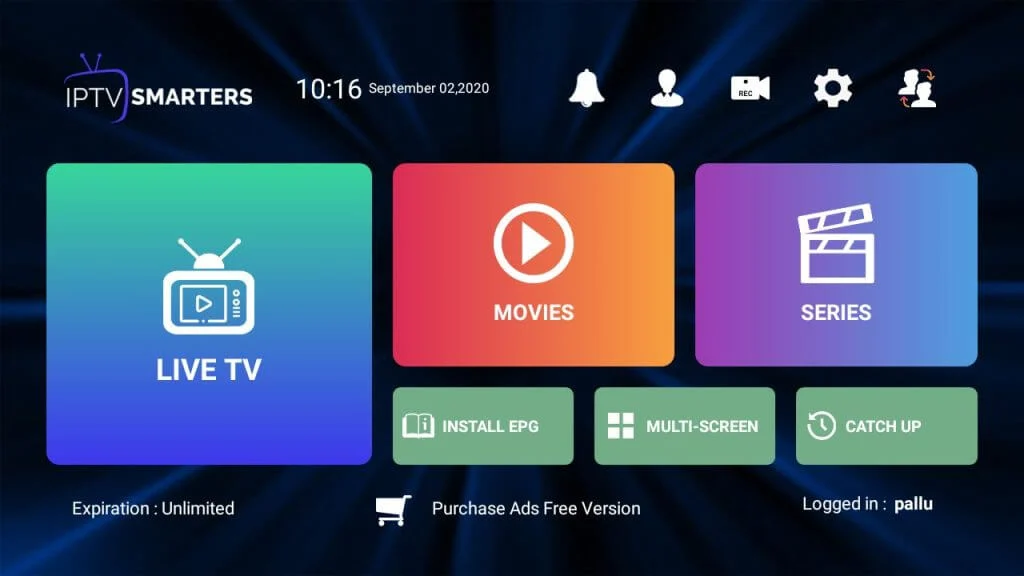
🛒 Step 1: Choose Your IPTV Website
Use a safe and trusted IPTV seller. These three sites are recommended for sports lovers:
- Smarters-Pro.net – Fast, global sports, works great on Smart TVs
- IPTVSmarters-Pro.net – High-definition sports with no lag
- IPTV-SmartersPro.org – Great for families and multi-device setups
Each one gives access to thousands of channels, movies, and full sports coverage.
💳 Step 2: Buy Your Subscription
- Go to one of the websites above
- Choose your plan:
- 1 month: €12.99
- 3 months: €17.99
- 6 months: €24.99
- 12 months: €34.99
- Up to 5 devices for larger plans
- Fill out the form and pay
- Check your email for login info (app name + username + password + server URL)

📲 Step 3: Install the App
Choose your device type:
For Smart TV:
- Open App Store (LG/Samsung) or Play Store (Android TV)
- Search: IPTV Smarters Pro
- Download & Install
For Fire Stick:
- Go to Settings > My Fire TV > Developer Options
- Turn ON “Apps from Unknown Sources”
- Use Downloader app to install: smarters-pro.net
For Android Phone:
- Visit: smarters-pro.net
- Download the APK
- Install it
For iPhone/iPad:
- Open App Store
- Search: Smarters Player Lite
- Download & Install
For PC or Mac:
- Go to smarters-pro.net
- Download the app for Windows or Mac
- Install normally
🔐 Step 4: Log In to Your App
- Open the app
- Choose: Login with Xtream Codes API
- Add:
- Username
- Password
- Server URL (from email)
- Save & Login
Done. Your IPTV opens with sports, movies, and series ready to go.
📺 What You Can Watch
| Category | Channels |
|---|---|
| Football | beIN Sports, Sky Sports, Canal+, BT, DAZN, ESPN |
| UFC/Boxing | UFC Fight Pass, DAZN, Fight Sports HD, Box Nation |
| Motorsports | F1 TV, Sky F1, Motorsport TV |
| Basketball | NBA TV, ESPN, TNT, TSN |
| Others | Star Sports, Sony Ten, SuperSport, Golf Channel |
🛠 Need Help?
All 3 IPTV websites offer support:
- Email & live chat
- Telegram or WhatsApp (on their site)
- Free setup guide if needed
If you ever feel stuck, contact them and they’ll guide you.
🎯 Final Tips
- Always choose a plan that fits your device needs (1 to 5 screens)
- Save your login info somewhere safe
- Restart app if channels don’t load
- Update app if new version is available
✅ That’s it! You now know how to:
- Choose an IPTV seller
- Buy a subscription
- Install the app on any device
- Watch all live sports in HD
Enjoy the match!